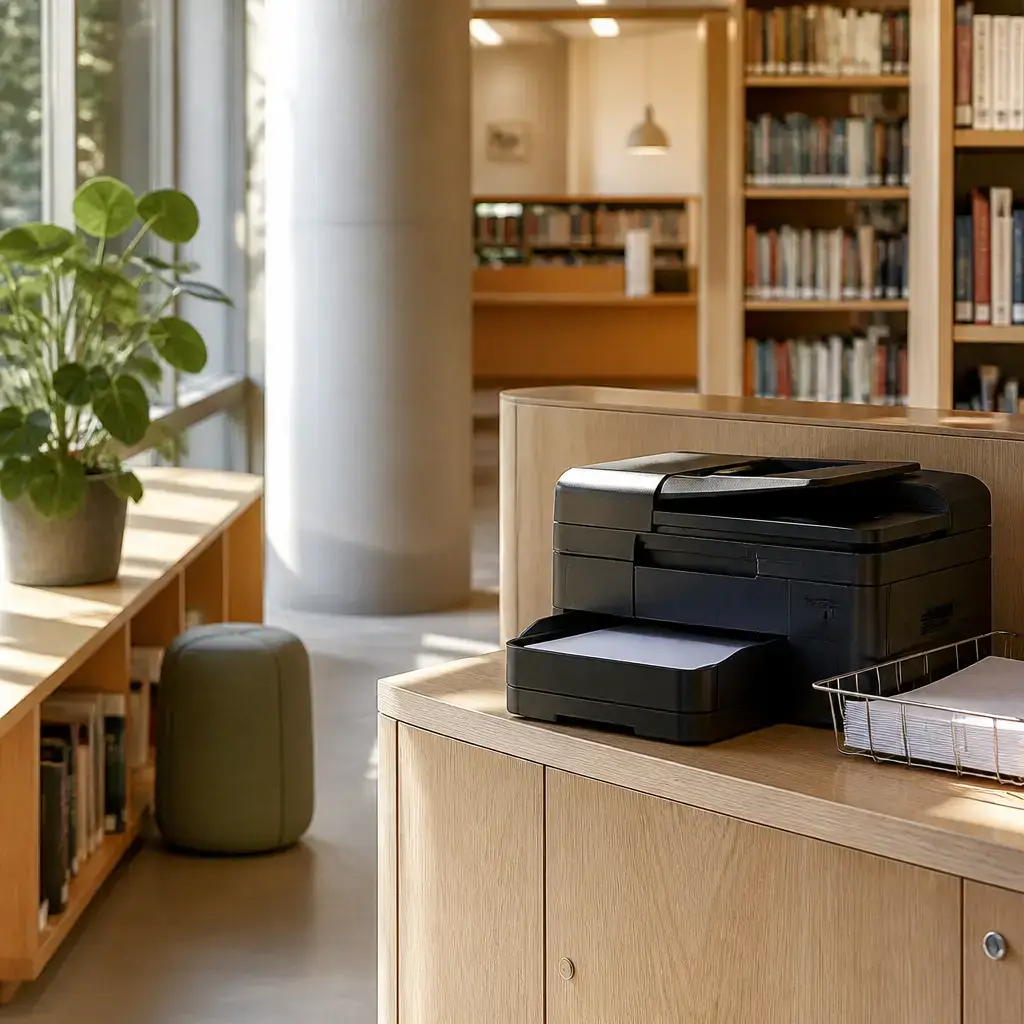
Hvordan
Hvordan means “how” in the question Hvordan bruger jeg printeren på biblioteket? It asks about the way to use something and commonly introduces a question about how to do an action.
bruger
bruger means “use” in Hvordan bruger jeg printeren på biblioteket? Its citation form is bruge; bruger is the form used with jeg here. It is useful when asking how to operate a device or use a service.
jeg
jeg means “I” and is the subject of Hvordan bruger jeg printeren på biblioteket? It identifies the person asking the question and can be used as the subject before an action.
printeren
printeren means “the printer” in Hvordan bruger jeg printeren på biblioteket? It is the definite form of printer, referring to the specific printer being used. It can be used as the object when asking about or describing use of a particular printer.
på
på means “at” or “in” in på biblioteket, locating the action at the library rather than on a physical surface. It commonly occurs before a place or institution when describing where something happens.
biblioteket
biblioteket means “the library” in på biblioteket. It is the definite form of bibliotek and refers to the specific library where the conversation takes place. It is useful for identifying a library as a location.
Først
Først means “first” and introduces the first step in the printer instructions. It is useful at the beginning of a sequence of actions, especially when giving directions.
skal
skal means “need to” or “must” in Først skal du vælge printeren på denne skærm. It is followed by the infinitive vælge to express the required action. This form is useful when giving instructions about what someone should do.
du
du means “you” and refers to the person receiving the printer instructions. In Først skal du vælge printeren på denne skærm, it is the subject of the action after skal. It is used for directly addressing one person.
vælge
vælge means “choose” in skal du vælge printeren. It is the infinitive form used after the modal skal. It is useful when selecting one item from several available options.
denne
denne means “this” in denne skærm and points to a specific screen nearby. It appears directly before the noun it identifies. It is useful when directing someone to a particular visible item.
skærm
skærm means “screen” in på denne skærm. It identifies the display where the printer is selected. It is useful when referring to a computer, phone, or machine display.
Kan
Kan means “can” or “may” in Kan jeg vælge at printe på begge sider? It asks whether the speaker is allowed or able to perform the action. Its citation form is kunne; Kan is the form used at the start of this question.
at
at is the infinitive marker in vælge at printe. It connects vælge with the following action printe rather than functioning as the English preposition “at.” It is useful in the pattern where one action involves doing another action.
printe
printe means “print” in at printe på begge sider. It is the infinitive after at and describes the action the speaker wants to perform. It is useful when talking about printing a document or pages.
begge
begge means “both” in på begge sider. It shows that the action concerns the two sides together. It commonly comes before a plural noun when referring to two items as a pair.
sider
sider means “sides” in på begge sider, referring to the two sides of the paper. Later, in de printede sider, the same form means “pages.” Its citation form is side, and sider is the plural form used in these expressions.
Skift
Skift means “change” in the instruction Skift indstillingen, før du printer. It is a direct instruction to replace the current printer setting with another one. Its citation form is skifte; this form is useful when telling someone to alter a setting.
indstillingen
indstillingen means “the setting” in Skift indstillingen. It is the definite form of indstilling and refers to the particular print setting that should be changed. It can be used as the object of an instruction about a device or program setting.
før
før means “before” in før du printer and places one action earlier than another. It introduces the clause describing what must happen before printing. It is useful for sequencing two actions.
printer
printer means “print” in før du printer. It is the form used with du in this clause and refers to carrying out the printing action. Its citation form is printe; it is useful after før when describing an action that should happen later.
kun
kun means “only” in Jeg skal kun printe et kort dokument. It limits the required action to printing a short document and nothing more. It is useful before an action or phrase that is being restricted.
et
et means “a” or “an” before dokument in et kort dokument. It introduces one unspecified document. It is useful before a singular noun in an indefinite expression.
kort
kort means “short” in et kort dokument and describes the document as limited in length. It appears before the noun it describes. It is useful when specifying the size or duration of something.
dokument
dokument means “document” in printe et kort dokument. It is the thing being printed. It is useful as the object when describing printing or handling a document.
Så
Så means “then” at the start of Så tjek forhåndsvisningen, før du starter. It marks the next step that follows from the previous information. It is useful for moving from one instruction to the next.
tjek
tjek means “check” in tjek forhåndsvisningen. It is a direct instruction to inspect the preview before starting the print job. Its citation form is tjekke; it is useful when telling someone to inspect information or a setting.
forhåndsvisningen
forhåndsvisningen means “the preview” in tjek forhåndsvisningen. It is the definite form of forhåndsvisning and refers to the specific preview shown before printing. It is useful as the object of an instruction to inspect a document before an action.
starter
starter means “start” in før du starter and refers to beginning the printing process. Its citation form is starte; starter is the form used with du here. It is useful when describing when a person begins an activity.
Hvor
Hvor means “where” in Hvor kommer de printede sider ud? It asks about the location from which the printed pages emerge. It commonly begins a question about the place of an object or action.
kommer
kommer means “come” in kommer ud and describes the pages emerging from the printer. Its citation form is komme; kommer is the form used with de here. It is useful with ud when something moves or emerges outward.
de
de means “they” in De kommer ud and refers back to the printed pages. It is the subject of kommer and is not the article “the” in this sentence. It is useful when referring back to plural items already mentioned.
printede
printede means “printed” in de printede sider and describes the pages produced by the printer. It appears before sider to identify which pages are meant. It is useful before a plural noun when describing pages or other items that have been printed.
ud
ud means “out” in kommer ud and shows that the pages emerge from the printer. Together with kommer, it describes movement outward rather than simply arrival. It is useful with a verb of movement when something comes out of a place or device.
i
i means “in” in i bakken nedenunder and marks the tray as the location where the pages appear. It commonly comes before a place or container. Here it helps identify where the printed pages can be collected.
bakken
bakken means “the tray” in i bakken nedenunder. It is the definite form of bakke and refers to the specific tray below the printer. It is useful when identifying the container or part of a machine where something is placed.
nedenunder
nedenunder means “below” or “down below” in bakken nedenunder. It specifies the position of the tray relative to the printer. It is useful after a noun when identifying something located underneath or lower down.